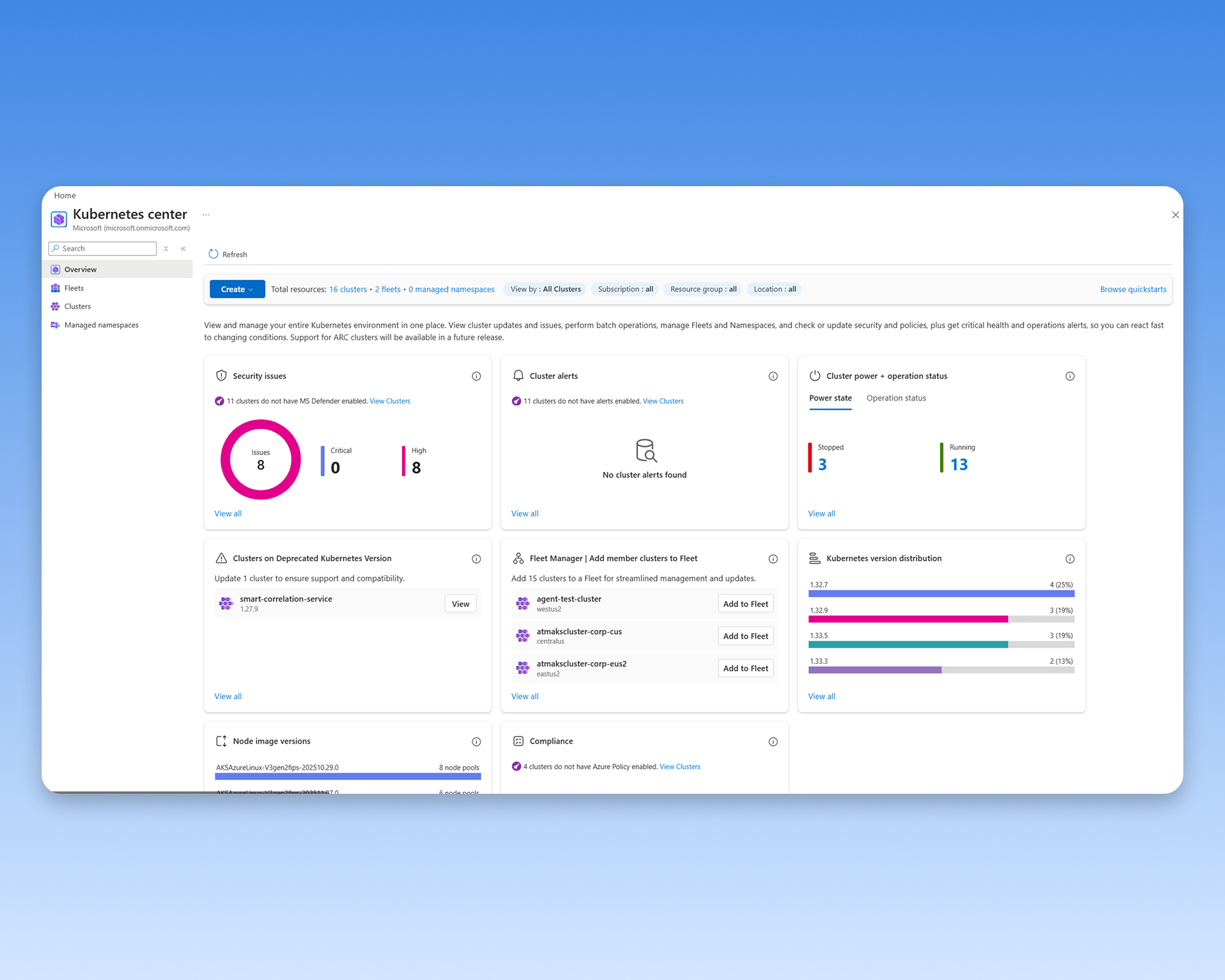
Azure OpenAI Sample App Deployment
I designed an AKS flow that took developers from a recommendation to a running, testable AI sample in about five minutes.
Problem
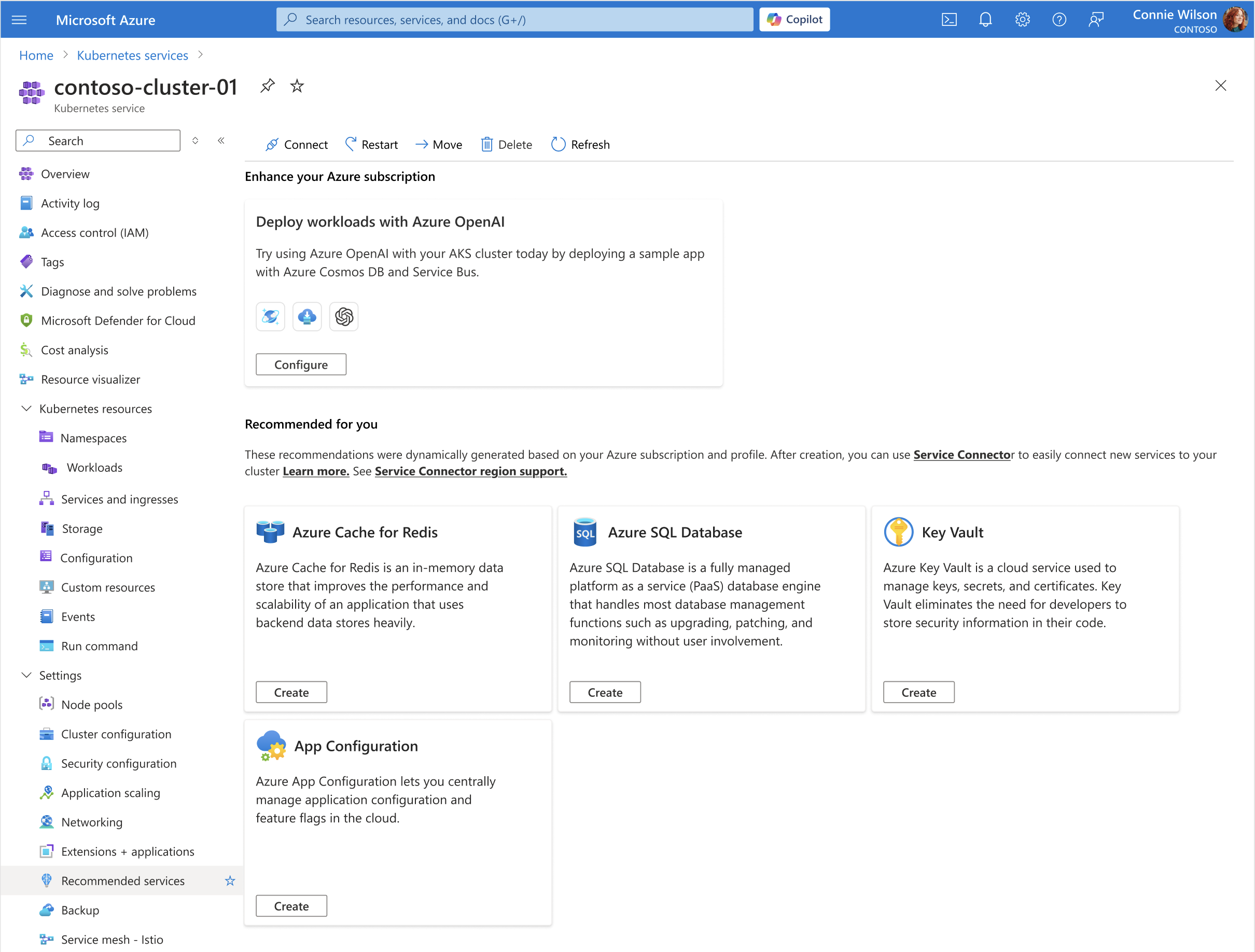
Recommendations told customers what they could add, then left them to configure several Azure resources by hand.
Vision
Let a developer go from “this could help” to a running sample without leaving the Azure portal.
Impact
The flow shipped to production and cut first-time setup from 1–3 hours to about five minutes.
The recommendation stopped where the work began.
Trying the sample meant creating several services, wiring them together, deploying the app, and checking that each piece worked. Research participants described the process as slow and easy to get wrong.
The card made a suggestion. The customer still had to do all the setup.
Research moved the entry point into the Create flow.
The first concept used a banner, which participants often missed or interpreted as a warning. I moved the entry point into the Create menu, where people were already looking to begin a deployment.
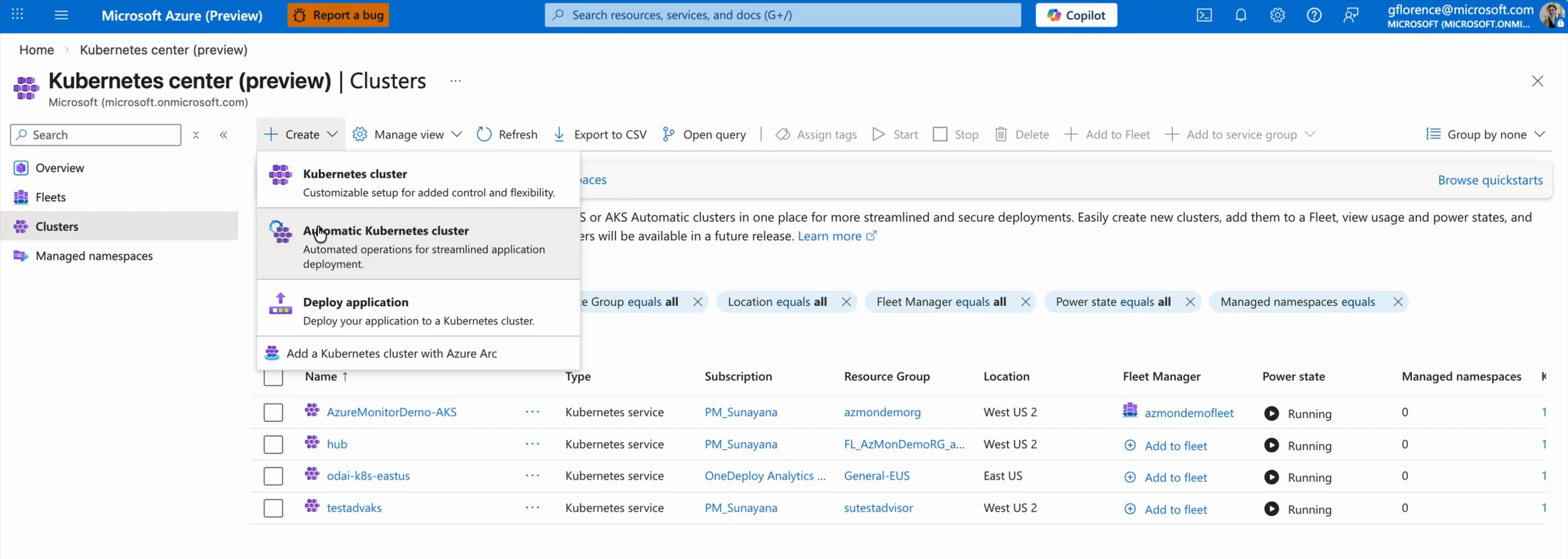
Placing the entry point where deployment begins made the scenario easier to discover.
A working store made the recommendation concrete.
The sample was an e-commerce app that used Azure OpenAI to write product descriptions. I worked with PM and engineering to show the full system as one setup instead of a loose collection of services.
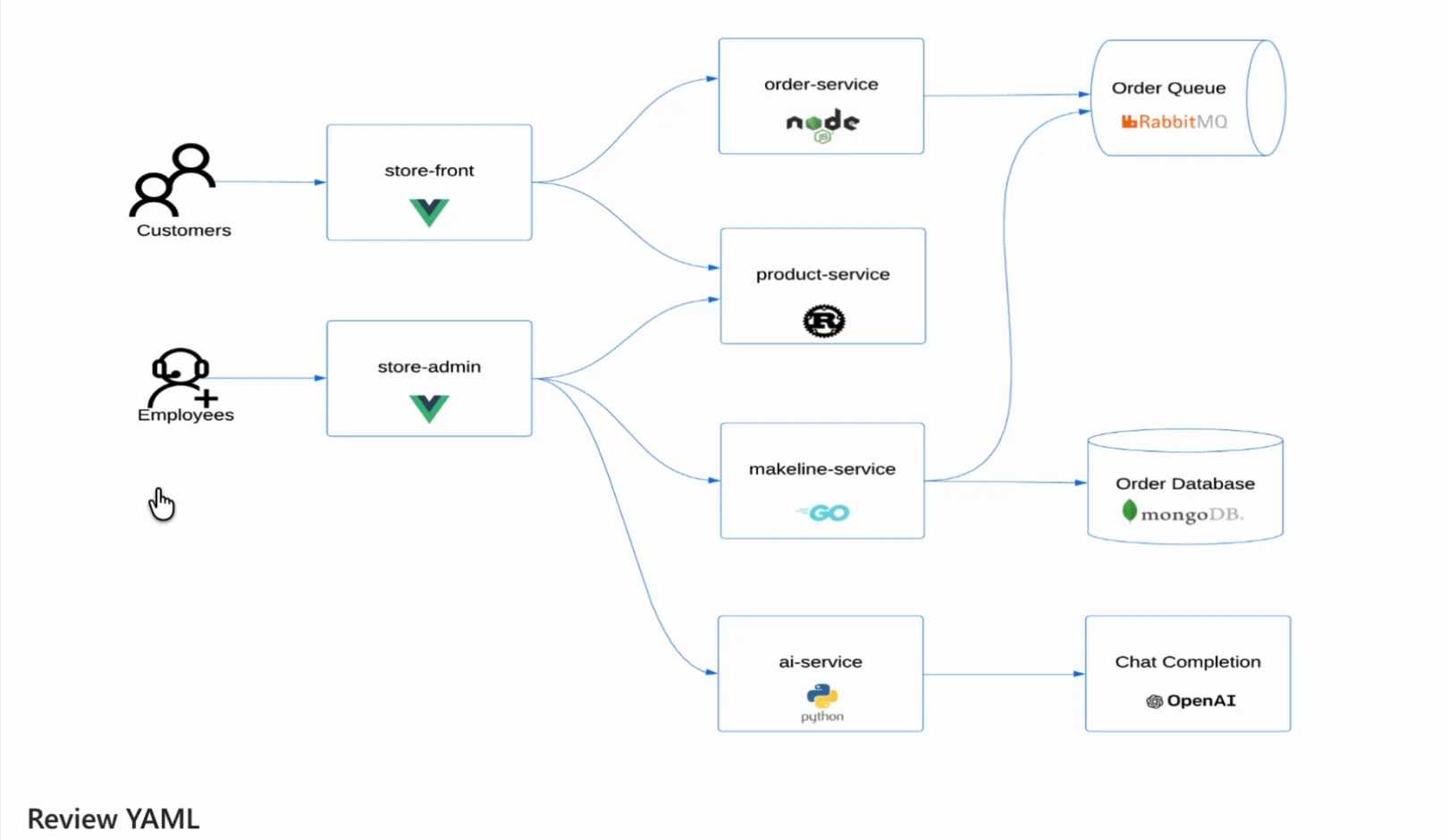
The sample creates the app, AI model, database, message queue, and AKS resources as one setup.
One page keeps the important configuration choices visible.
We kept the model, region, cost defaults, and supporting services on one page. Developers could use our recommended setup or change any choice before deploying.
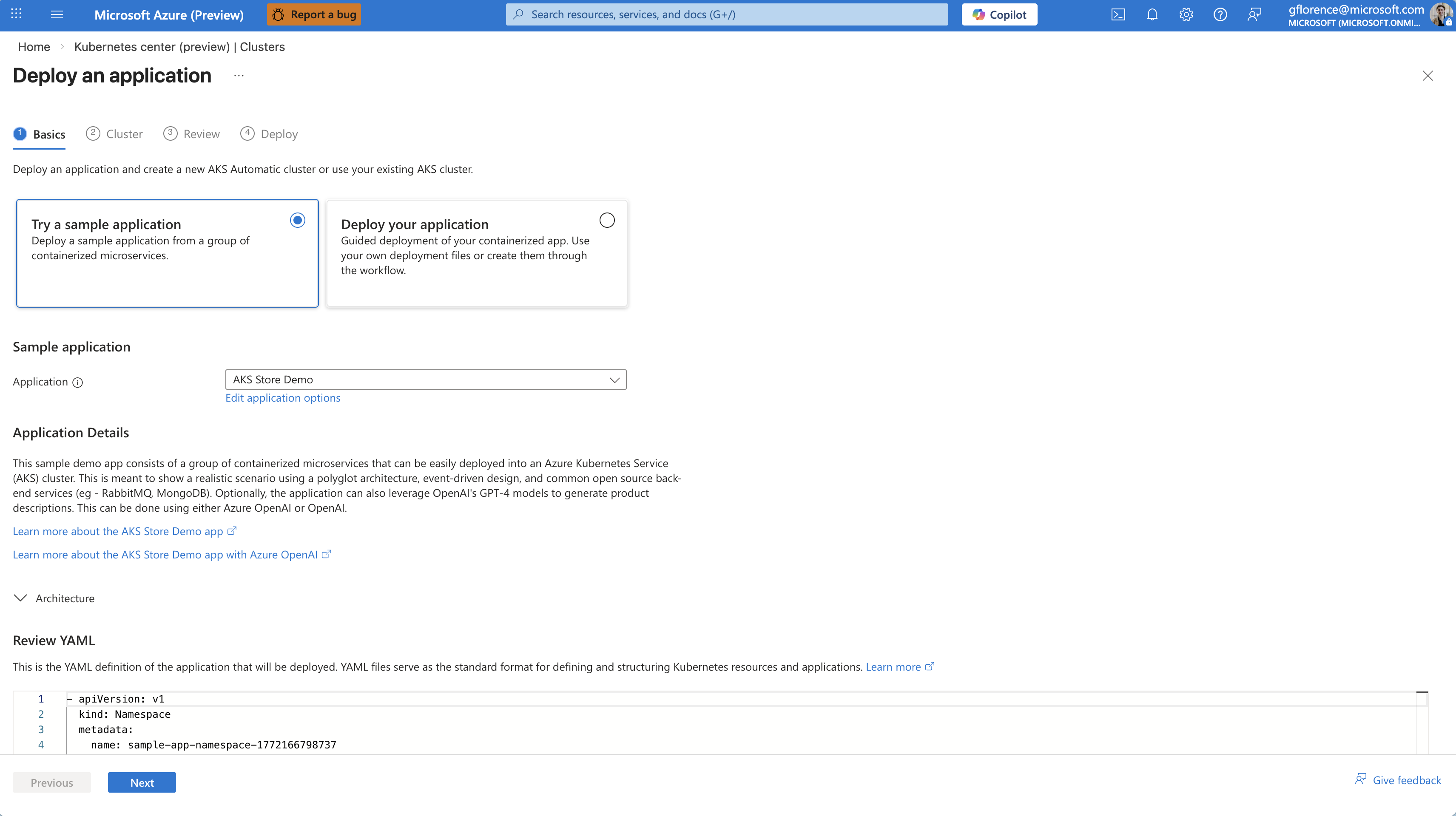
Model, region, defaults, and supporting services stay visible before deployment.
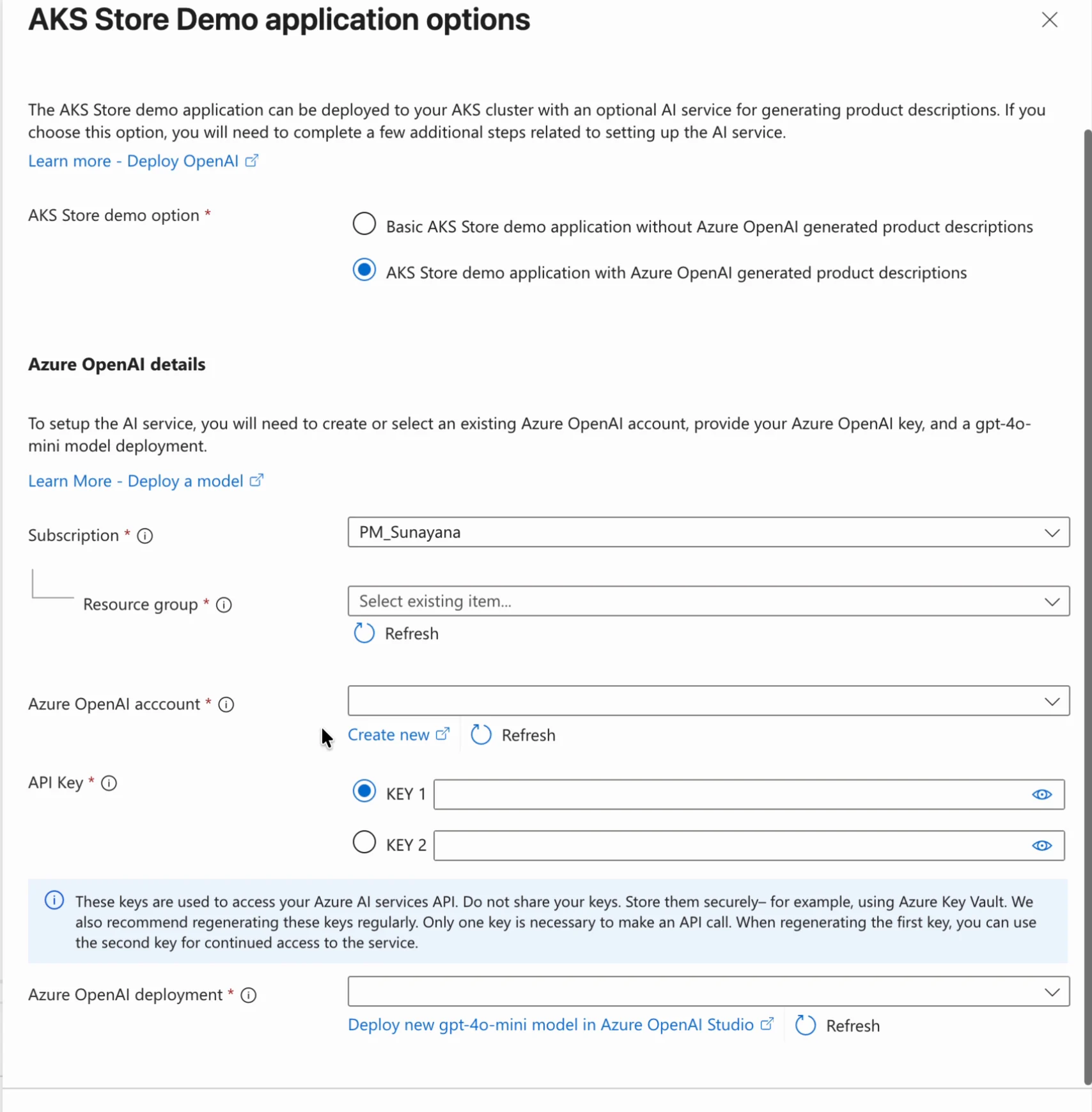
Choosing the AI version states what it needs — account, key, and model deployment — instead of hiding it behind a default.
Deployment was the start, not the end.
After deployment, people could open the sample, try the AI feature, inspect the resources it created, or delete everything when they were done.
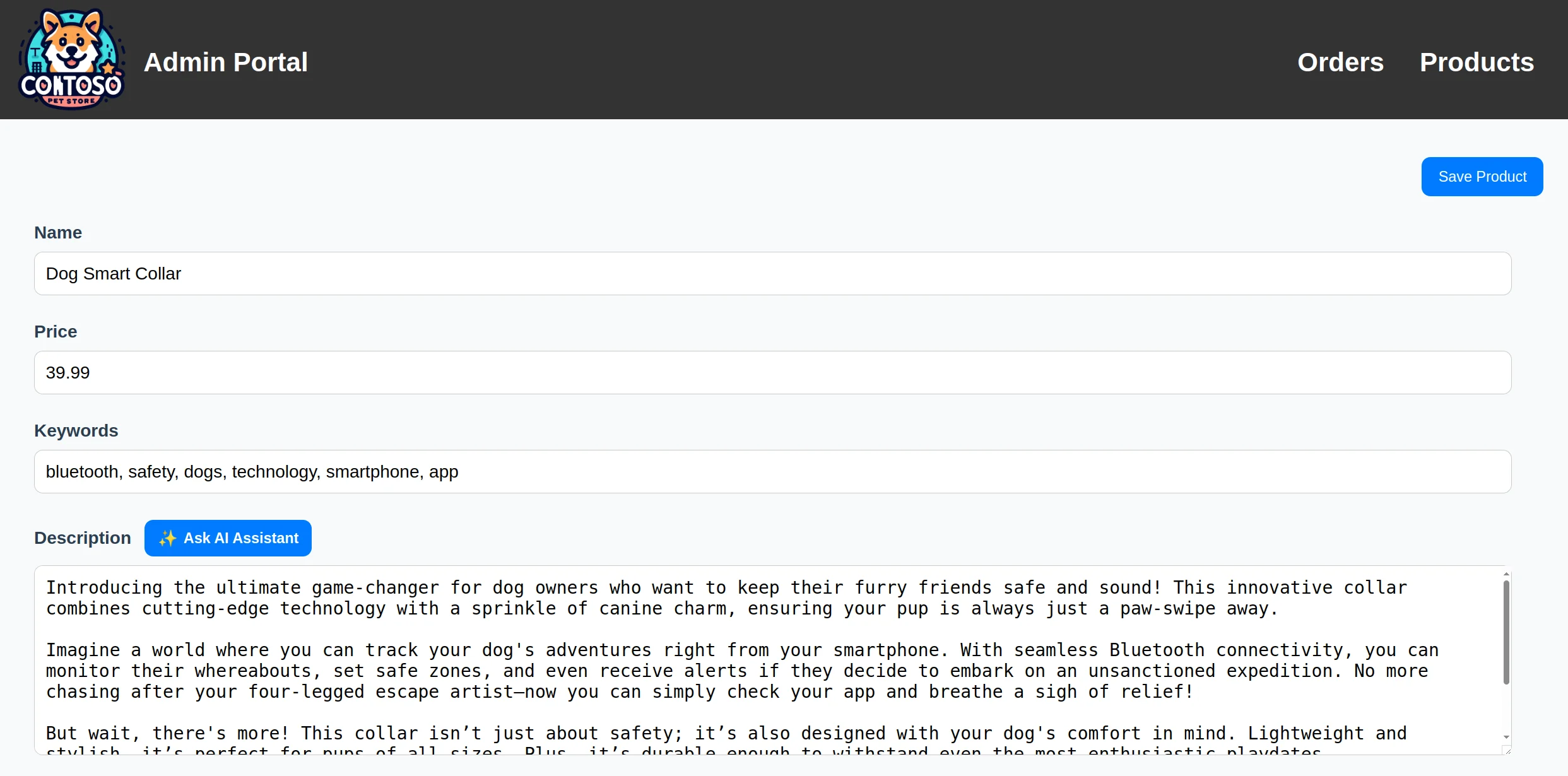
Developers could test the deployment by asking the running app to write a product description.
From a recommendation to a working app in about five minutes.
The flow shipped to production and reduced first-time setup from 1–3 hours to roughly five minutes. It also gave the team a starting point for future samples that need to create and connect several services.
The largest research improvements came from the entry point.
The biggest improvement was not inside the form. It was moving the entry point to the Create menu, where people were already trying to start a deployment.
Azure Kubernetes Center
A unified Kubernetes management hub for Azure — from concept to launch at Microsoft Ignite 2025.