Azure Kubernetes Center
I led design for Azure Kubernetes Center, a new home in the Azure portal where platform teams can see cluster health, security risks, fleets, and creation tasks in one place.
Problem
Azure's Kubernetes tools lived on separate pages. To understand one environment, platform teams had to jump between cluster details, Fleet Manager, security recommendations, and creation flows.
Vision
Give teams one place to answer two questions: What needs attention now, and where do I go to fix it?
Impact
Within three weeks of global launch, new resource deployments increased 31% and Fleet creation increased 82%.
Kubernetes management was spread across separate Azure experiences.
Platform teams used cluster pages, fleet management, namespaces, monitoring, and security recommendations to understand one environment. Each tool supported a specific task, while the state of the overall environment remained difficult to read at a glance.
Kubernetes Center connects the major AKS management experiences through a shared entry point.
We put the environment, not the individual cluster, at the center.
I worked with PM and engineering to add a layer above the existing resource pages. We focused it on three jobs: understanding current state, finding security issues, and starting common creation flows.
- Clusters
- Fleets
- Namespaces
- Monitoring
Kubernetes Center shows the big picture, then sends people to the existing resource pages when they need detail.
The Overview summarizes the state of an environment.
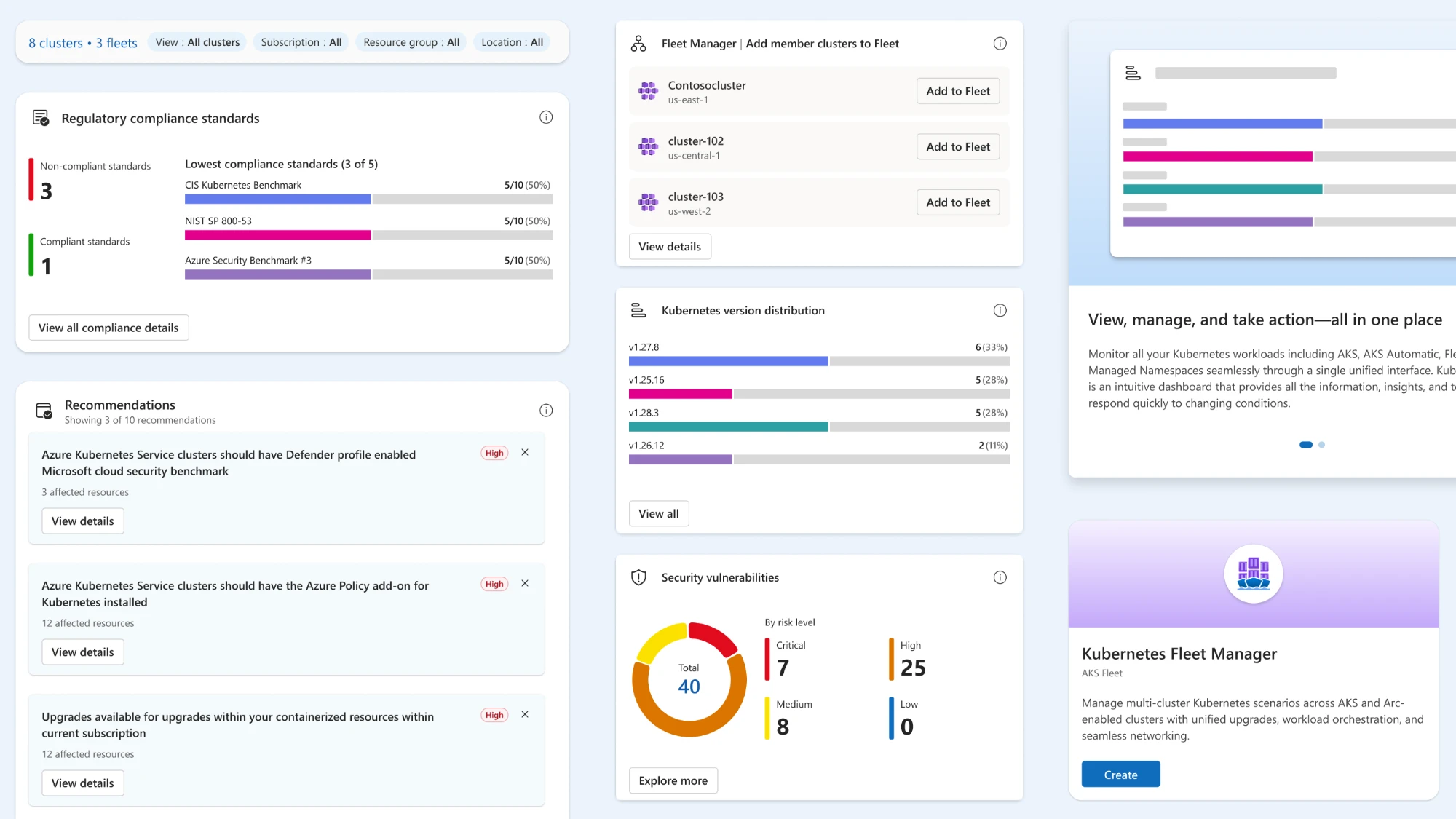
I designed a modular dashboard for cluster health, version support, fleets, security, compliance, and recommended actions. Each card presents one environment-level signal and links to the page where an operator can investigate or act.
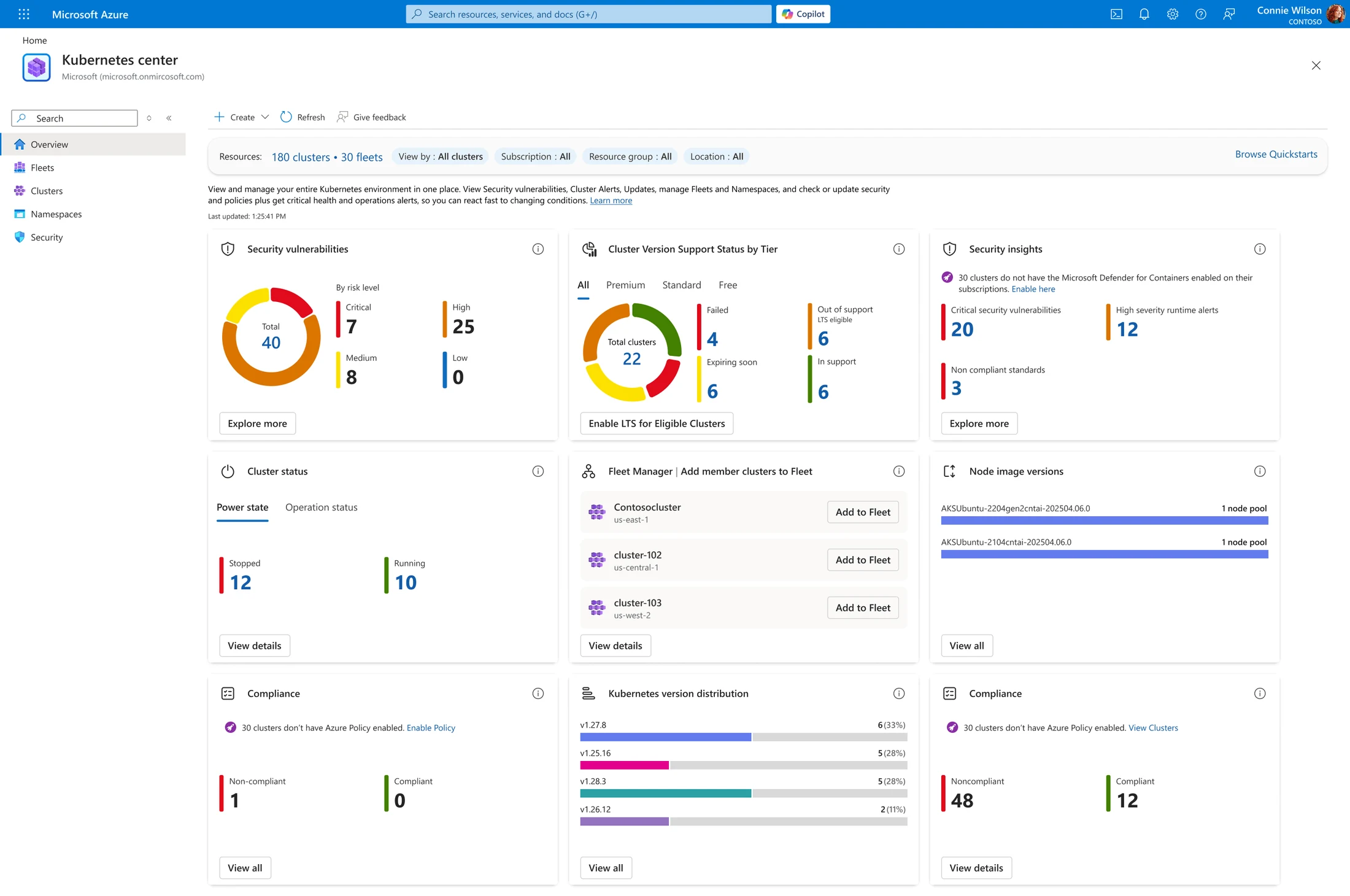
A team can scan one page and see what is healthy, outdated, risky, or ready for action.
The Security dashboard makes risk easier to prioritize.
Vulnerabilities, runtime alerts, misconfigurations, compliance standards, and the recommendations affecting the most clusters share one view. Severity leads in every card, so the first read is what is most urgent rather than what exists.
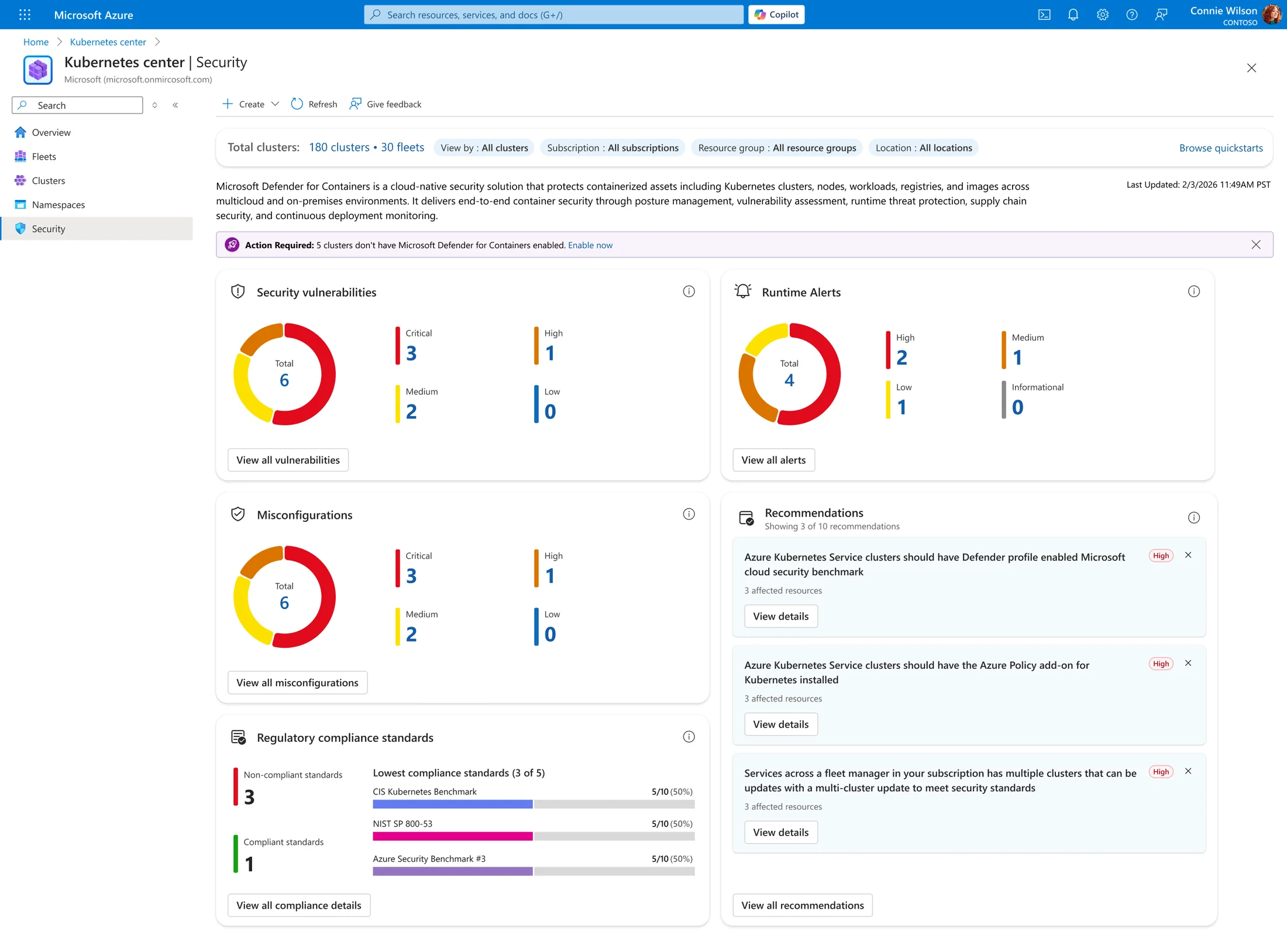
Each card answers one question about the environment and names the next place to look.
Every count on the dashboard opens the list behind it.
Card totals and their View all controls open a filtered pane inside Kubernetes Center, so triage happens without leaving the hub. Continuing from a row hands the work to Defender for Cloud already scoped to the affected clusters.
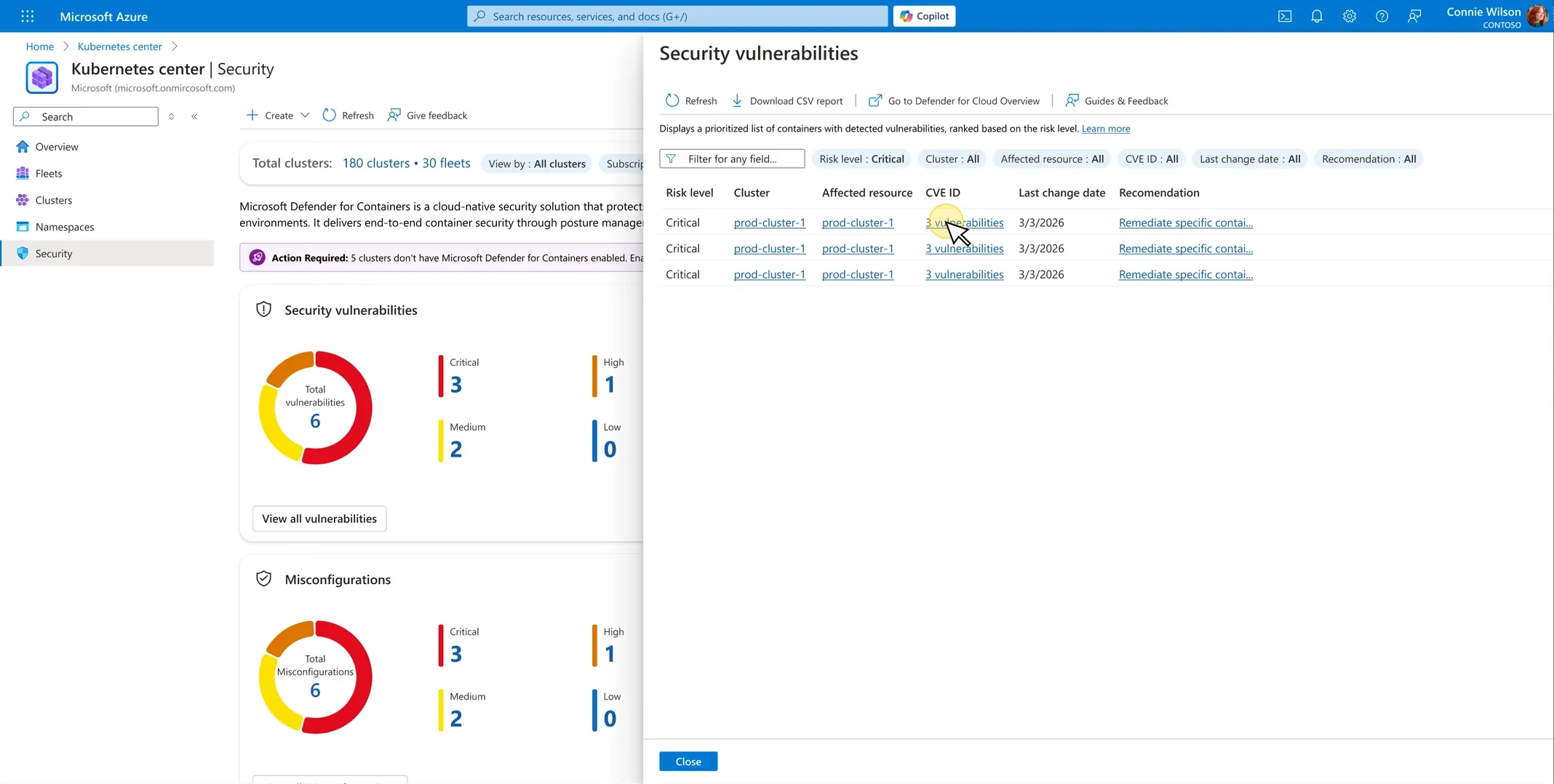
Every card opens the same kind of pane, so people learn the interaction once and stay in context.
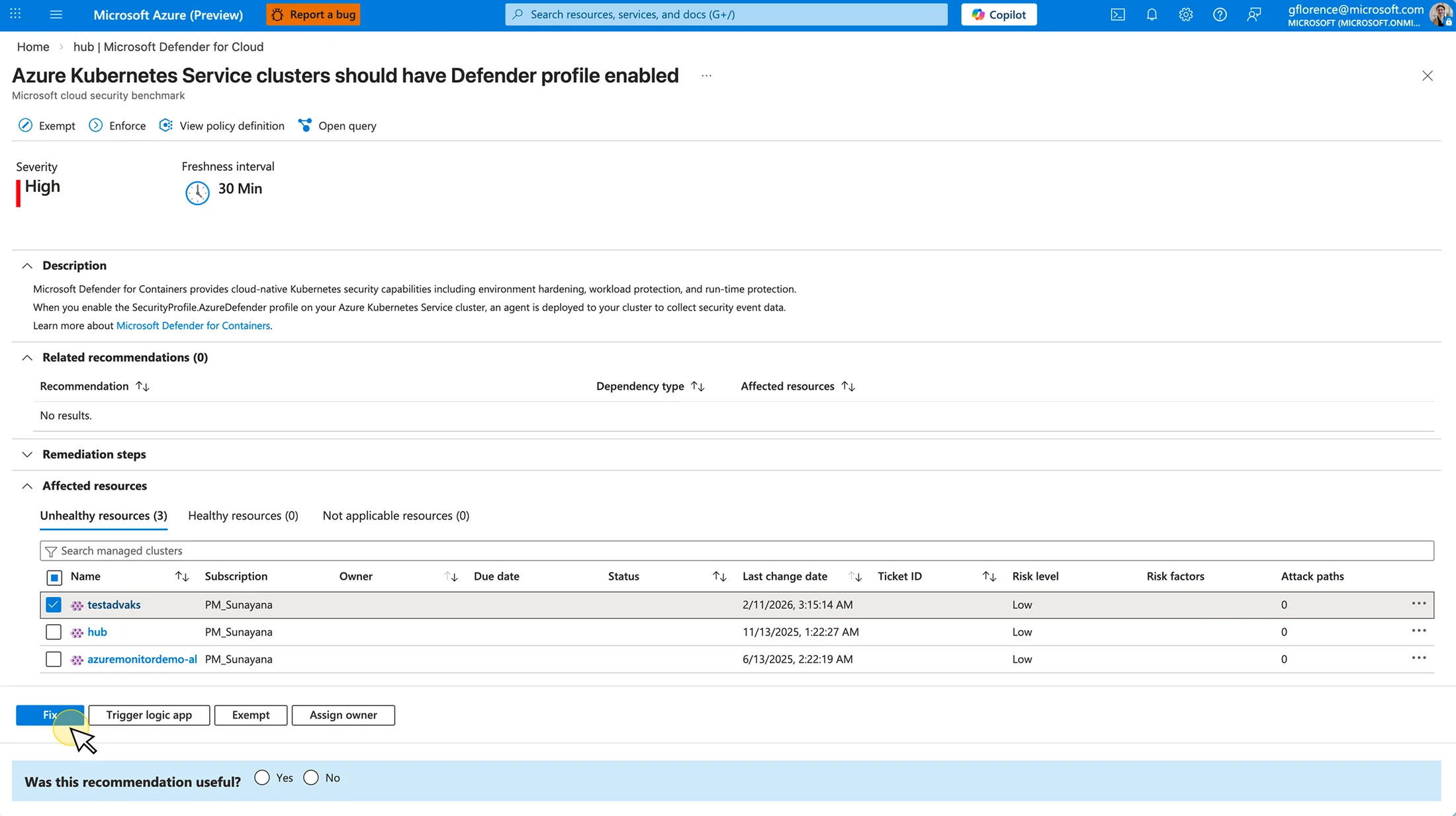
The handoff into Defender arrives on the affected clusters, so remediation starts already scoped.
We chose depth over breadth for launch.
We could not redesign every AKS page before launch. Research helped us focus on Overview, Security, and creation, then refine the terminology and hierarchy before release.
- Clusters
- Fleets
- Namespaces
- Monitoring
For launch, we redesigned Overview, Security, and creation. The existing resource pages stayed in place.
Kubernetes Center became the new starting point for AKS.
Kubernetes Center launched globally as the new starting point for AKS. Within three weeks, new resource deployments rose 31% and Fleet creation rose 82%. Teams also used the security and compliance views, showing that the page was useful for prioritizing work, not just finding resources.
Define cut checkpoints earlier.
Next time, I would define the telemetry plan and launch cuts earlier. We added some measurements after shipping, which made the first release harder to evaluate cleanly.
Defining How AI Agents Operate at Cloud Scale
An AI agent that troubleshoots cloud resources — with a human always in the loop.